
How to compare sales month on month and year on year from your Tally
Direct answer
With Arya, ask “Compare sales this month vs last month” or “this year vs last year” and get both figures and the change, from your Tally books. You can also put two to six customers, suppliers or items side by side — value, quantity and selling rate — and see why sales changed.
Three ways to compare
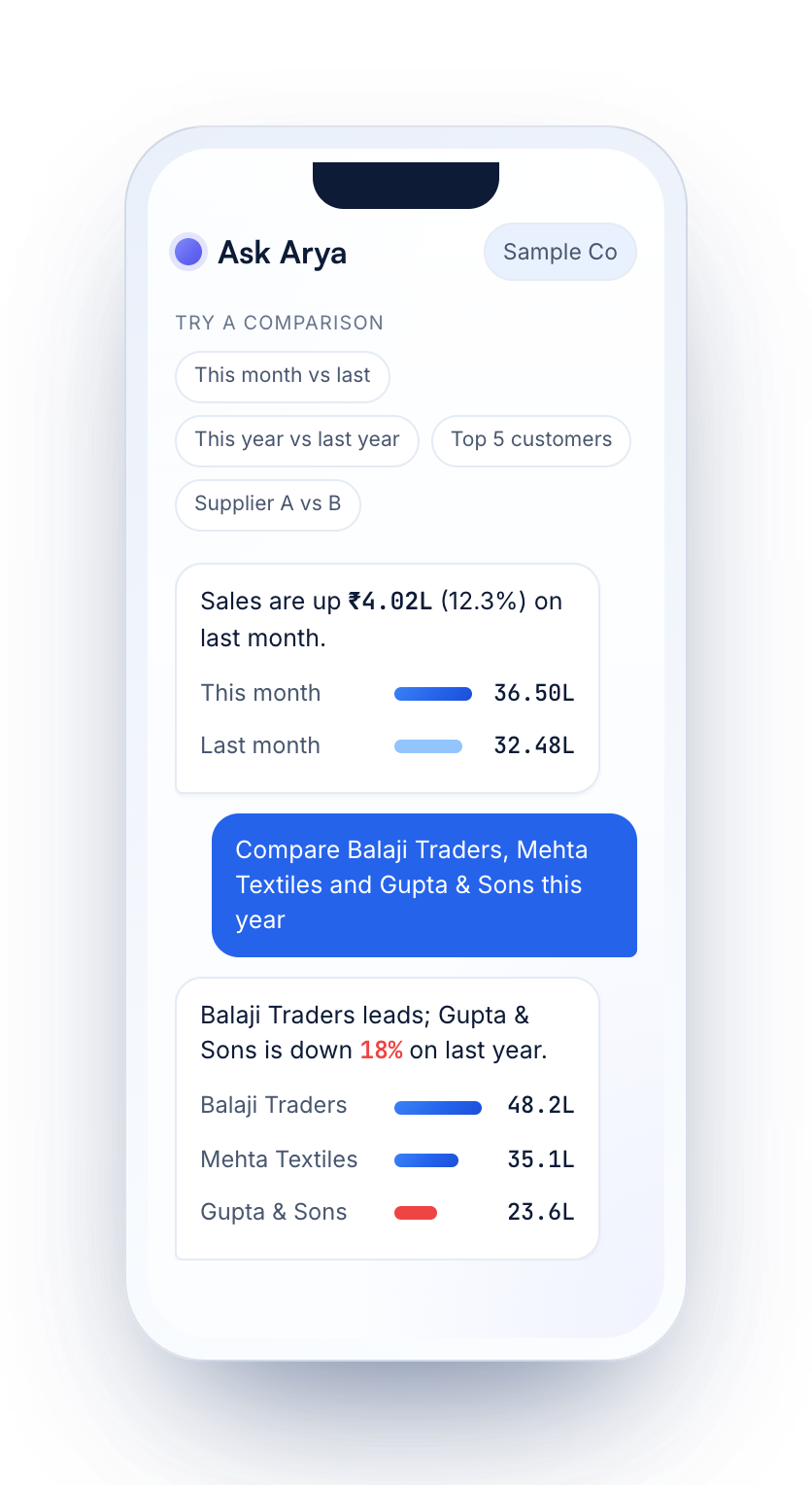
- Period against period. This month vs last month, or this year vs the same months last year.
- Party against party. Two to six customers or suppliers, and who is growing or slipping.
- Item against item. Value, quantity and selling rate, item by item.
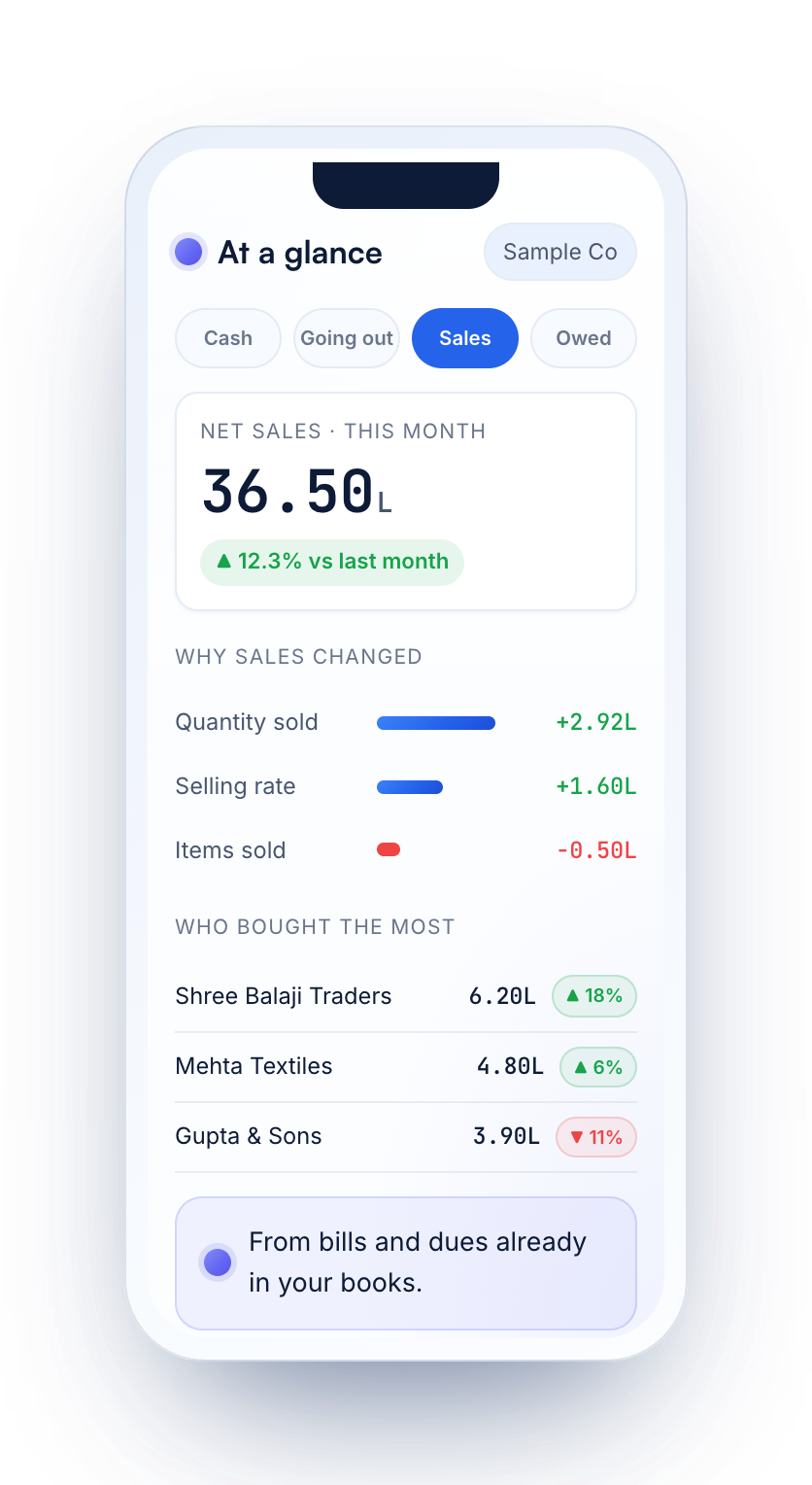
Why sales changed
Arya splits a change in sales into quantity sold, selling rate and the items you sold — and shows who bought the most.
Ask it
Sample books on a made-up company.
Your Tally, two ways
| On the Tally PC | Tally with Arya, on your phone | |
|---|---|---|
| Month by month | Sales Register, month-wise | Ask, or see the month-by-month trend on Reports |
| Two periods | Add a column for the other period | Ask “this month vs last month” |
| Parties or items | Build the view yourself | Ask for two to six by name |
Questions
How do I compare this month's sales with last month in Tally?
On the Tally PC, open the Sales Register month-wise or add a column for the other period. With Arya, ask “Compare sales this month vs last month” on your phone.
How many customers or items can I compare at once?
Two to six, side by side.
Are sales before or after GST?
Net sales are shown before GST, and every figure says whether GST is inside it.
Can I compare suppliers?
Yes — two to six suppliers side by side.
Read your Tally on your phone
Try Arya on a sample company with a free account, then connect your own Tally in three steps.
Related guides
Figures shown are sample data on a made-up company. Tally and TallyPrime are trademarks of Tally Solutions Pvt. Ltd. Arya is not affiliated with Tally Solutions.