
How to check outstanding in Tally on your phone
Direct answer
Sync your TallyPrime company to Arya and open Receivables on your phone: you see what each customer owes, bill by bill, how old each bill is (0–30, 31–60, 61–90 and 90+ days) and whom to chase first. Payables work the same way for what you owe.
Or skip the screens and just ask: “Which customers are overdue past 60 days?”
Receivables — who owes you
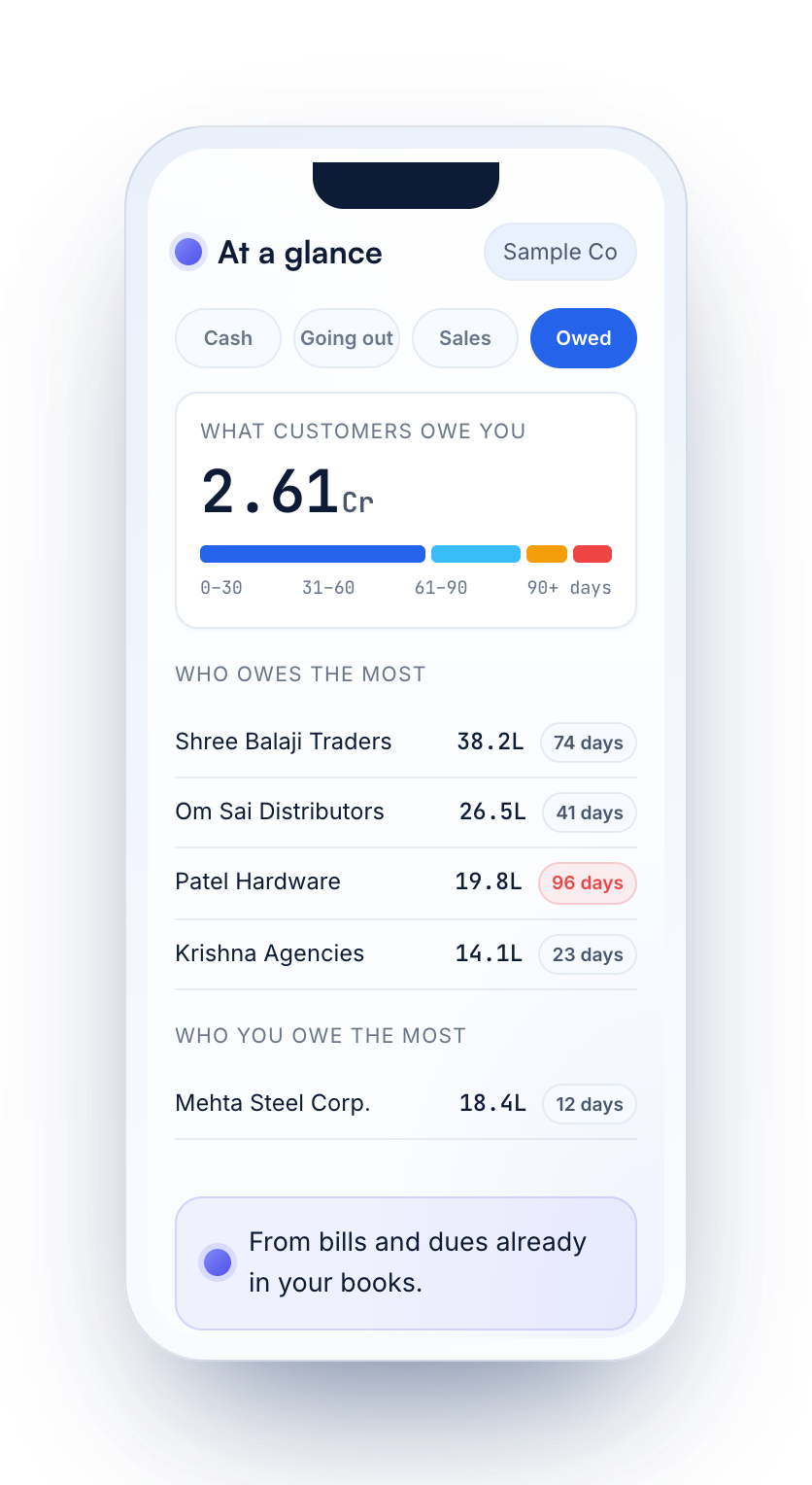
- Total outstanding with an ageing bar: 0–30, 31–60, 61–90 and 90+ days.
- Who owes the most, and for how many days.
- Bill by bill for each customer — which bill to call about, and how old the oldest one is.
As in Tally, bill-by-bill figures come from the bill references in your vouchers.
Payables — who you owe
The same view for suppliers: what you owe, bill by bill, with ageing — so payments go out in the right order.
Ask instead of searching
Sample books on a made-up company.
Whom to chase first
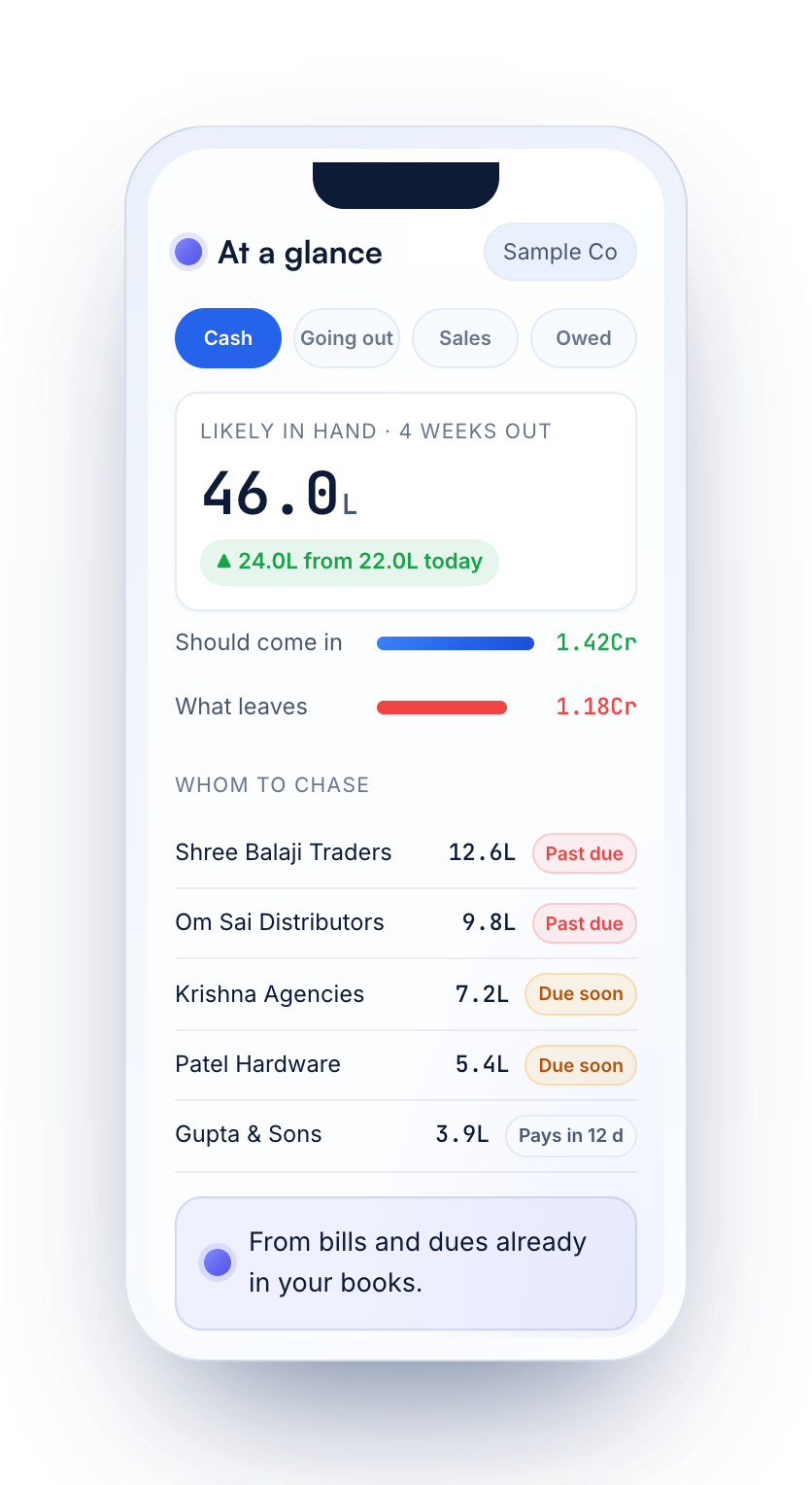
Arya's cash flow view reads the bills and dues already in your books and shows the next 4 weeks: what customers should pay, what you have to pay, and what's likely left in hand — with the customers to chase, past due first. More on the cash flow forecast.
Your Tally, two ways
| On the Tally PC | Tally with Arya, on your phone | |
|---|---|---|
| Where to look | Gateway of Tally → Display More Reports → Statements of Accounts → Outstandings → Receivables or Payables | Receivables or Payables on the phone — or ask |
| Ageing | Switch the outstanding report to its age-wise view | 0–30, 31–60, 61–90 and 90+ days, shown on every view |
| Sharing it | Print or export from the PC | Export the screen as PDF or Excel from your phone |
Share it
Export the screen you're on as a PDF or an Excel file and send it to your team or your CA.
Questions
How do I see outstanding receivables in TallyPrime?
On the Tally PC: Gateway of Tally → Display More Reports → Statements of Accounts → Outstandings → Receivables. On your phone, sync the company to Arya and open Receivables, or ask “Which customers are overdue past 60 days?”
Is it bill-wise, like Tally?
Yes. Receivables and payables are shown bill by bill with ageing bands, from the bill references in your Tally vouchers.
Does it show payables too?
Yes — what you owe suppliers, bill by bill, with ageing.
How up to date are the figures?
As fresh as your last sync. Auto Sync runs on an interval you choose, and you can sync by hand any time.
Can I check outstanding when the office PC is off?
Yes. Arya works with the Tally PC switched off — your synced books are in the cloud. The PC only needs to be on to sync.
Will the outstanding match Tally?
Yes. Every bill and balance matches TallyPrime for the same company and period.
Read your Tally on your phone
Try Arya on a sample company with a free account, then connect your own Tally in three steps.
Related guides
Figures shown are sample data on a made-up company. Tally and TallyPrime are trademarks of Tally Solutions Pvt. Ltd. Arya is not affiliated with Tally Solutions.